How to use Buttons in Global styles

In this article we will guide you how to setup buttons style preset so that they can be reused and consistency across pages.

What is Buttons

Buttons are a set of reusable button presets included in Global styles. They allow you to apply consistent button designs across all pages. There are three preset types available: Primary, Secondary, and Tertiary buttons.

How to customize button style

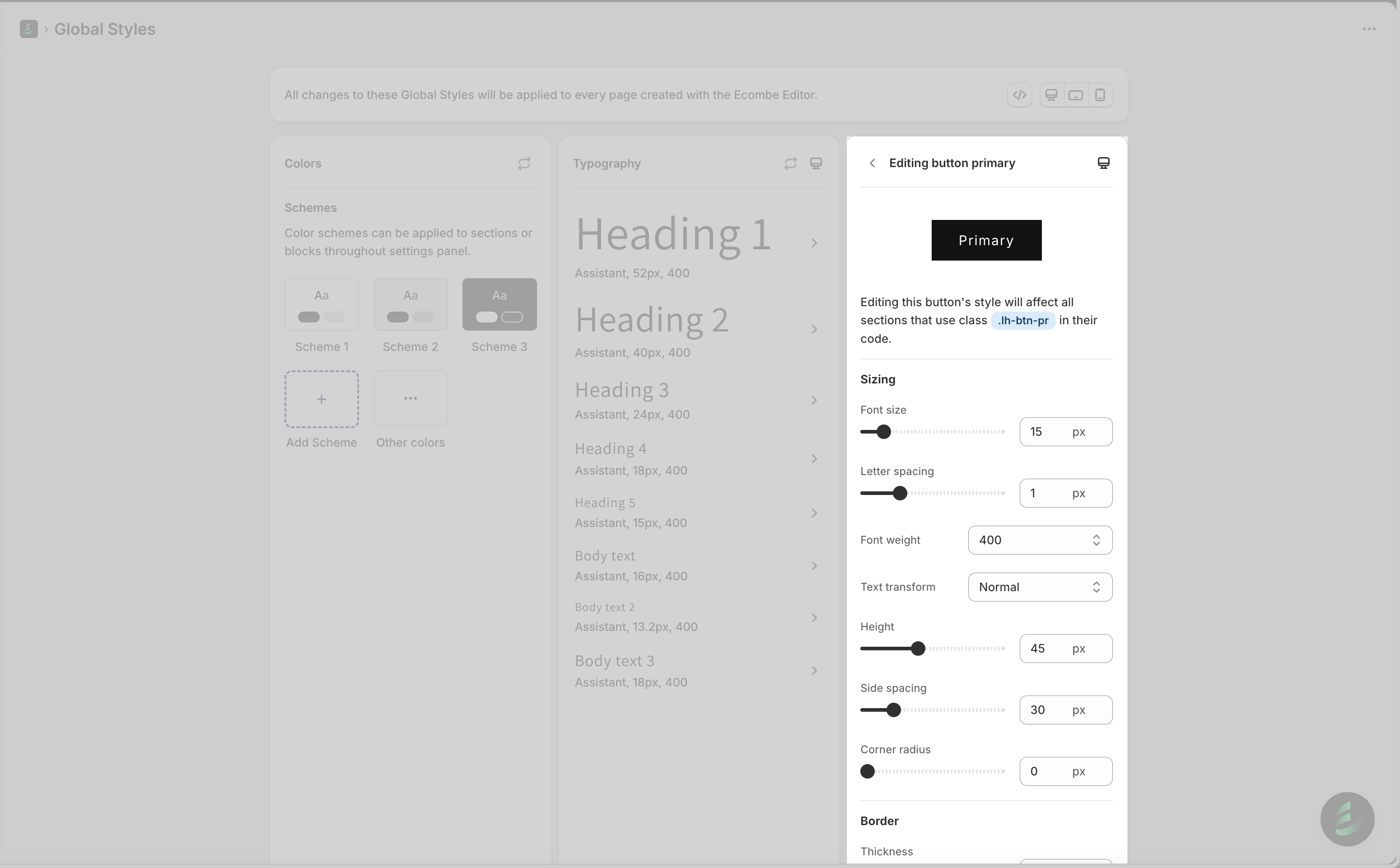
Click any button to open its editing panel and change the style settings.

Button style is divided into there types of settings: Sizing, Border, Shadow and Hover. The button updates in real time as you adjust the settings. You can hover over it to preview the hover effect directly inside Global styles.

Sizing

Font-size

Determines how large or small the text appears inside the button.

Letter spacing

Adjusts the distance between individual characters, making your text feel tighter or more open.

Font-weight

Controls how thick or thin the text appears, ranging from light to bold. It helps emphasize important content.

Text transform

Changes the letter casing of the text inside the button. You can convert all letters to uppercase, lowercase, or capitalize the first letter of each word.

Height

Adjust the height of the button.

Side spacing

Controls the horizontal space on the left and right sides of the button, helping you adjust how wide the button appears

Corner radius

Controls the roundness of the button’s corners, letting you choose between sharp edges and a softer, rounded look.


Border

Thickness: controls how thick or bold the border appears around the button.


Shadow

This part you adjust all shadow settings for the button.

Horizontal

Adjusts the shadow’s left–right position.

Vertical

Adjusts the shadow’s top–bottom position.

Blur

Controls how soft or sharp the shadow appears.

Transparent

Controls how visible or faded the shadow looks.


Hover

Transition: controls how smoothly the button changes style when hover in it.

FAQ

How do I change the font family of a button

The button's font family will be applied according to the Body Text's typography. To learn more about typography and how to change it, please refer to this article.

How can I change button style when I edit my page

You can click in to each button to open it editing panel to change styles.

We hope this article helps you understand how to use Buttons feature in Global styles to customize button style presets and set consistent button style for your theme.

circle-info

Have a question?

Contact us via in-app live chat. We'll reply in few minutes.

Last updated