> For the complete documentation index, see [llms.txt](https://help.ecombe.com/llms.txt). Markdown versions of documentation pages are available by appending `.md` to page URLs; this page is available as [Markdown](https://help.ecombe.com/pages-and-section-creations/pages/how-to-create-blog-page-with-ecombe.md).
# How to create Blog page with Ecombe
## Overview
This article will guide you through the steps to create a **Blog page** using **Ecombe Page Builder**, allowing you to customize your blog page layout without any coding.
## What is a Blog page?
A **blog page** is the page where your store’s blog articles are displayed.
It typically shows a list of blog posts, including titles, featured images, excerpts, and publish dates. Blog pages help you share news, updates, guides, or stories with your customers, while also improving your store’s SEO and engagement.
A well-designed blog page makes it easier for visitors to discover your content and stay longer on your store.
## Step-by-step guide
{% stepper %}
{% step %}
#### Access Ecombe Page Builder
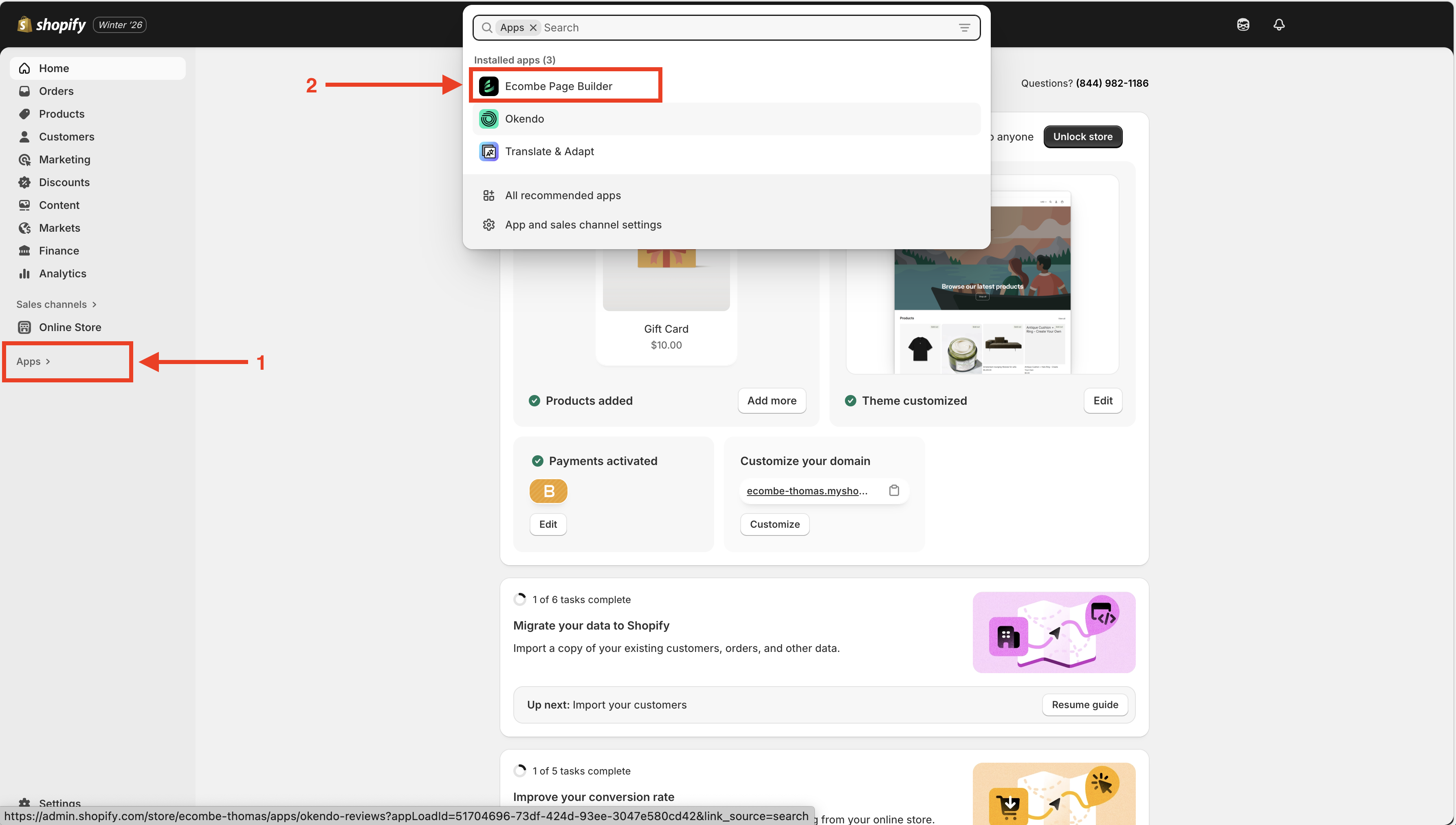
Go to **Shopify Admin** → **Apps** → **Ecombe Page Builder**
{% endstep %}
{% step %}
#### Create a new page
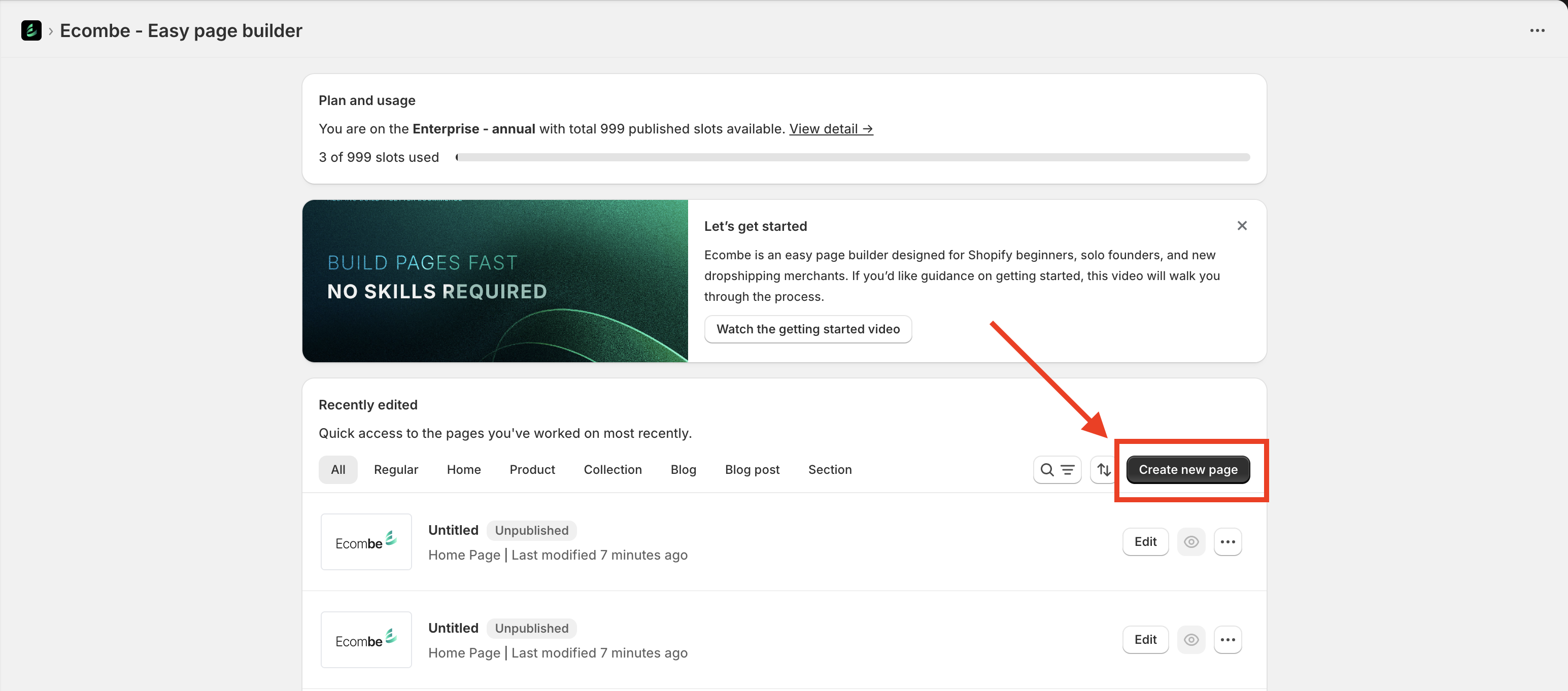
From the **Ecombe Welcome Dashboard**, click the **Create New Page** button.
{% endstep %}
{% step %}
#### Choose a Blog page template
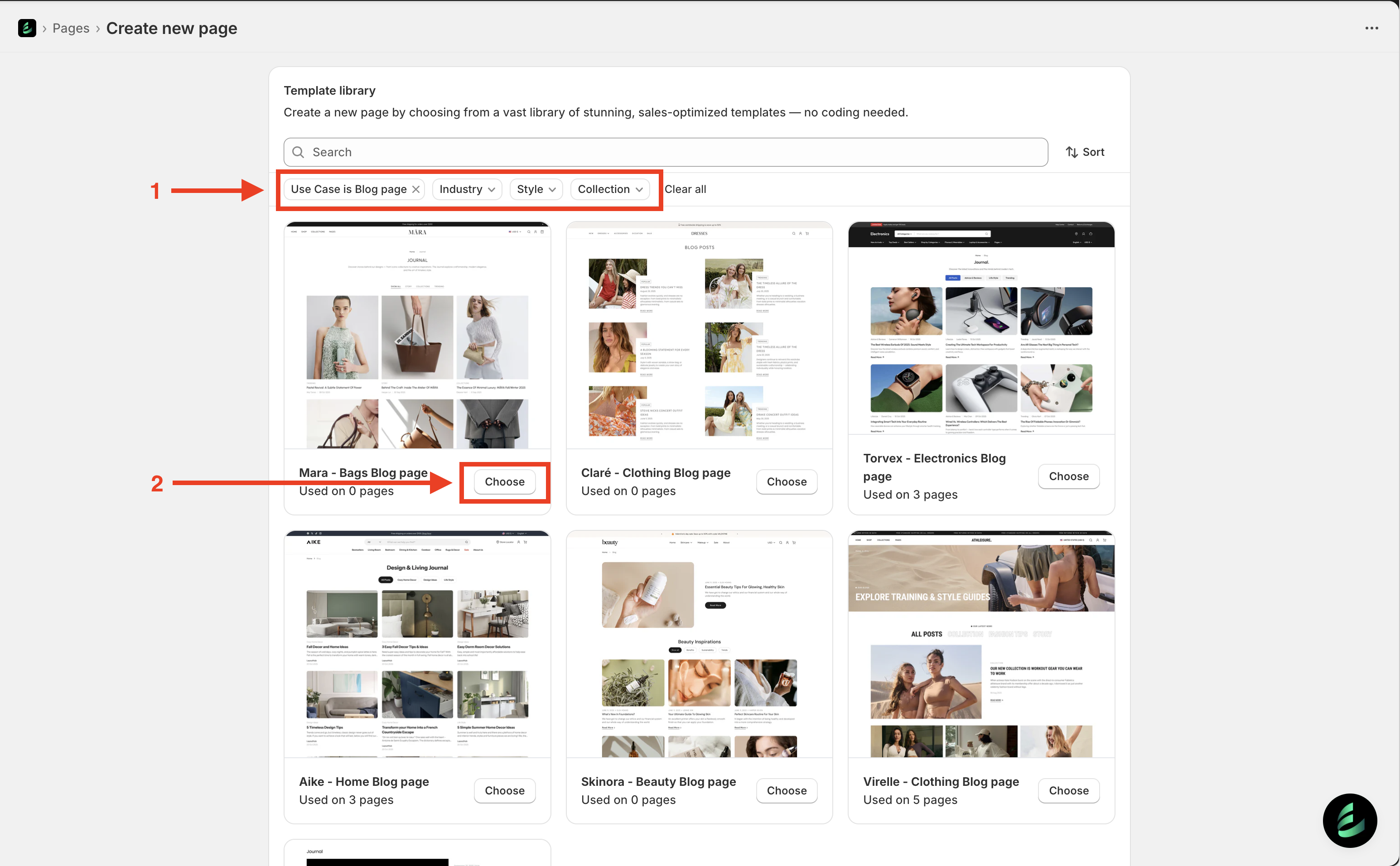
After completing Step 2, Ecombe will take you to the **Template Library**.
Select **Use case: Blog page**. You can also filter templates by **Industry**, **Style**, or **Collection** to quickly find a suitable design.
Click the **Choose** button to select a template.
{% endstep %}
{% step %}
#### Set up the Blog page
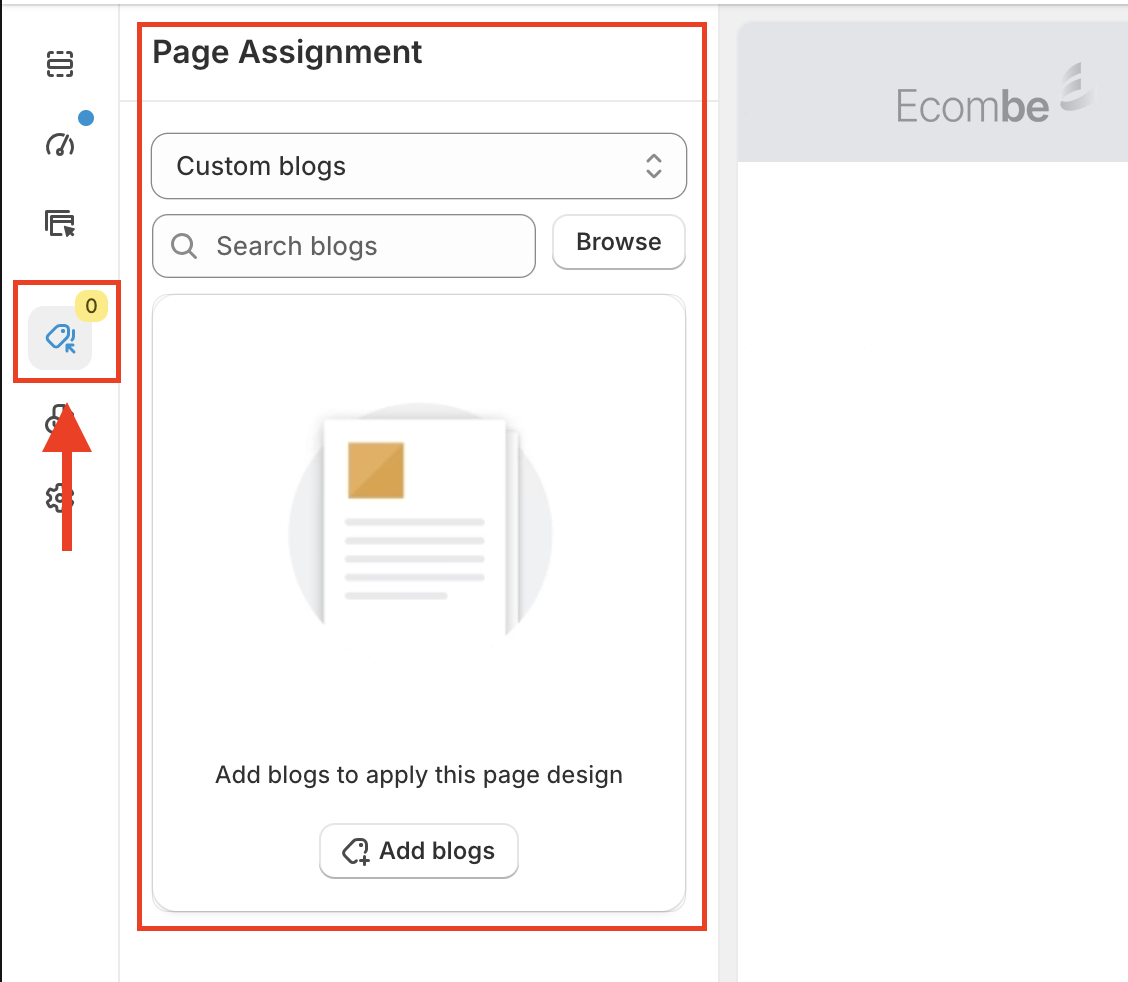
#### Page assignment
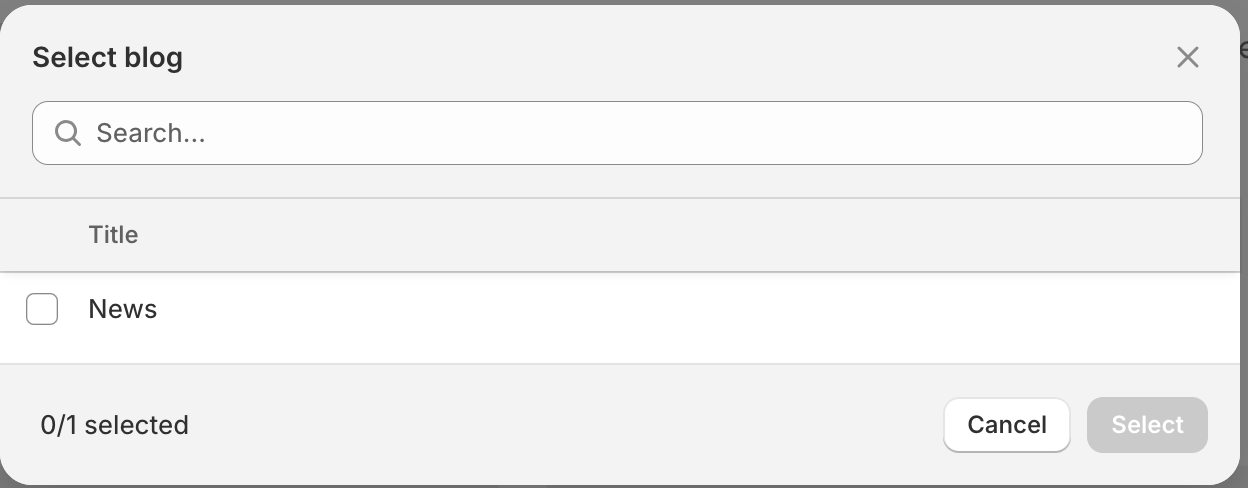
Assign which blogs will use this blog page. Ecombe provides two options:
1. **All blogs**
All blogs in your store will use this blog page. The page will be assigned as the default blog page.
2. **Custom blog**
Select specific blogs to use this blog page.
#### Page settings
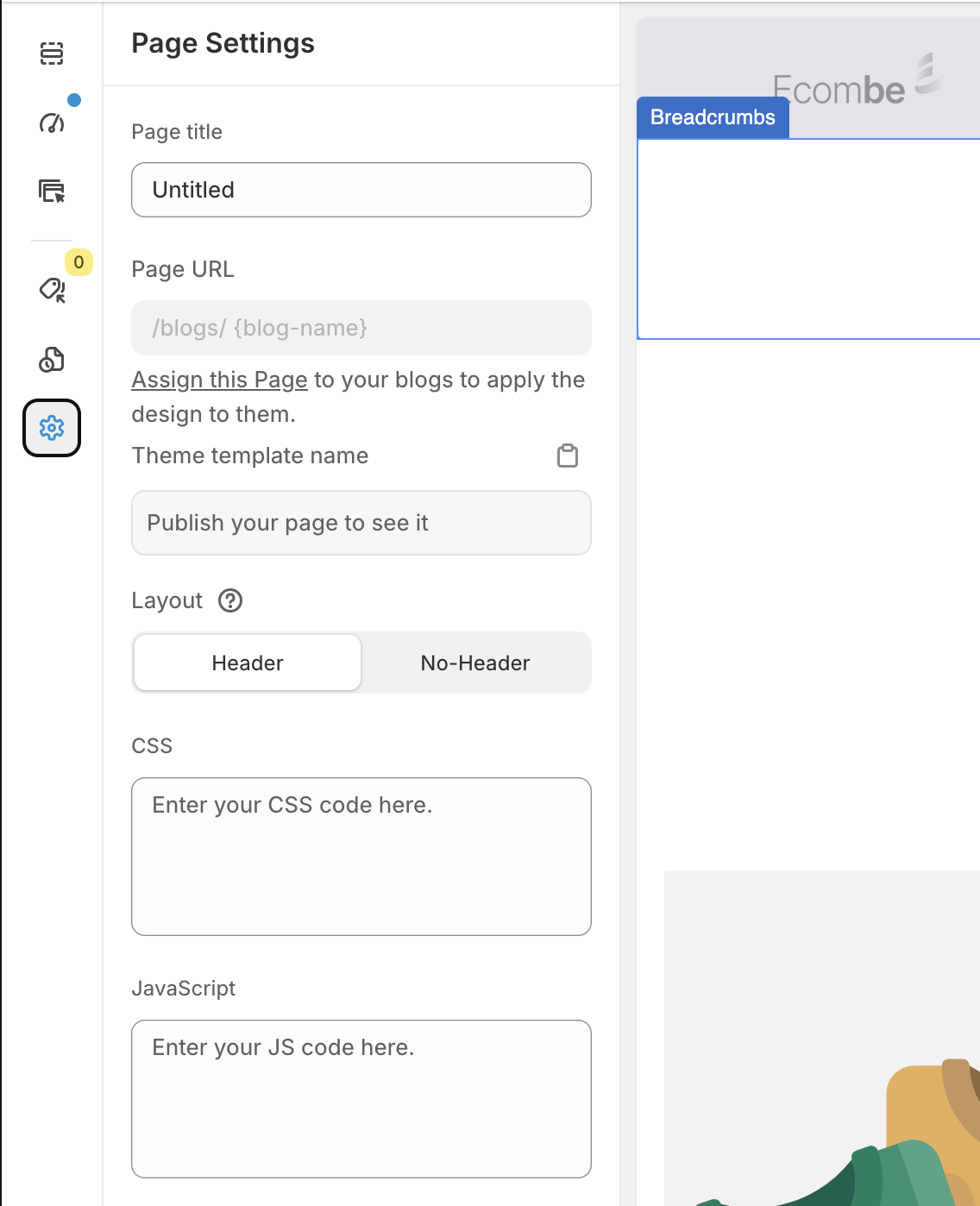
Access **Page Settings** from the Ecombe left sidebar and configure the following options:
* **Page title**: Enter a name for your blog page template to easily manage it in Page Manager, especially if you have multiple blog page templates.
* **Page URL**: You do not need to fill in this field. Ecombe blog pages use Shopify’s default URL structure:
`/blogs/{blog-name}`
* **Theme template name**: This is the name of the template saved in your Shopify store. Ecombe will automatically generate the template name after the page is published.
* **CSS and JavaScript**: Add custom styles or advanced scripts for your template. If you need assistance, feel free to contact our support team.
{% endstep %}
{% step %}
#### Edit the Blog page
In this step, you can customize the **Ecombe Blog Page Template** to match your needs.
Click on each section to edit its content and settings. The options are designed to be simple and intuitive, similar to Shopify Theme Customization.
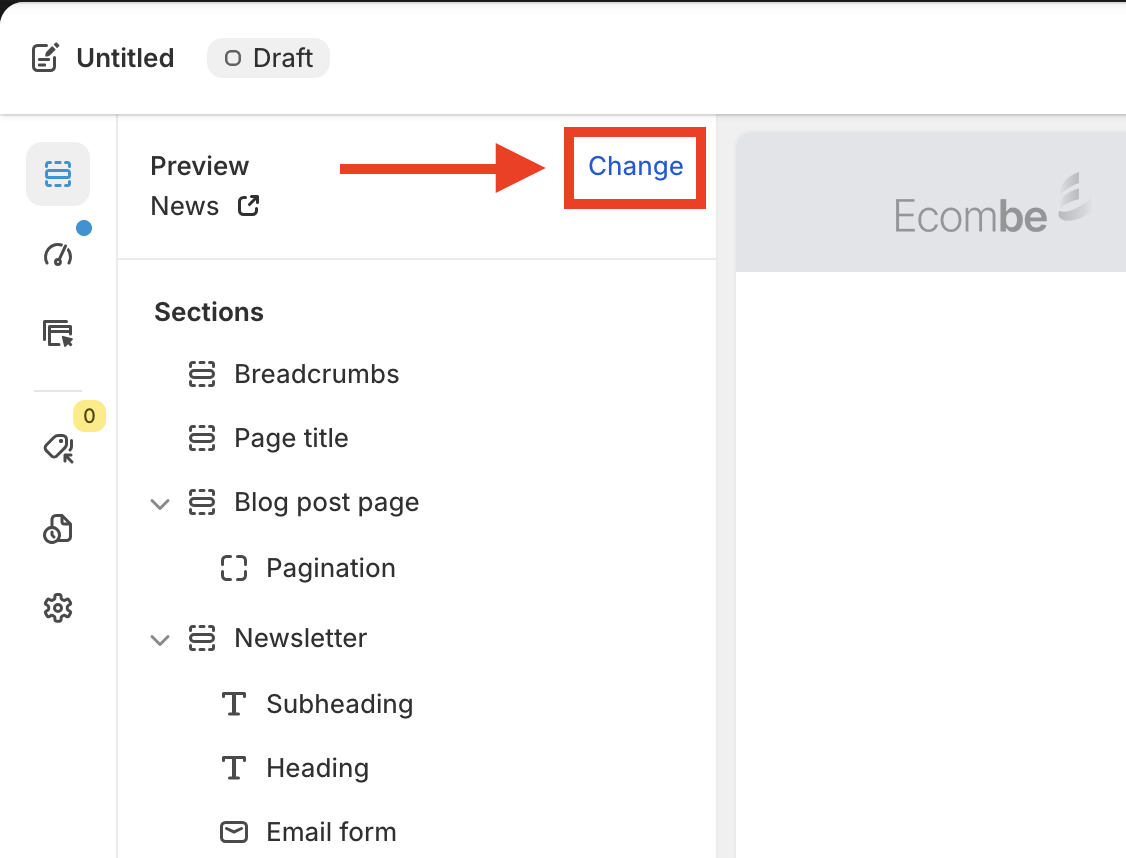
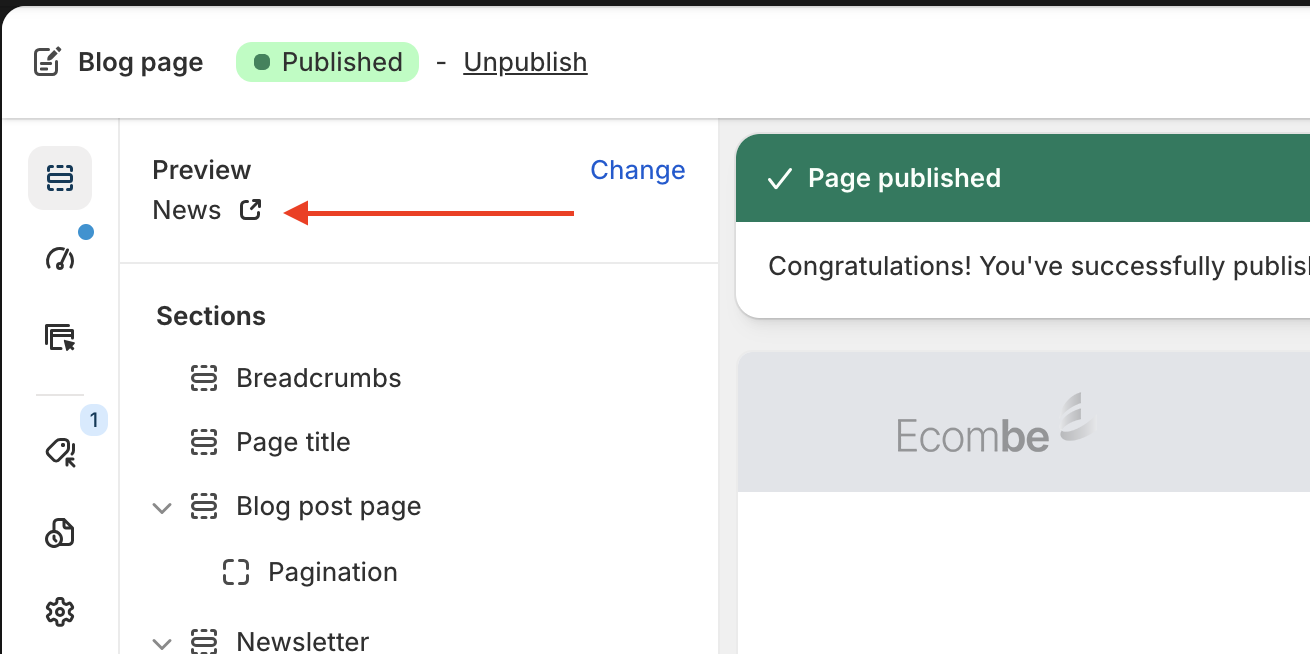
**Tip:** You can change the preview blog by clicking **Change** in the editor.
{% endstep %}
{% step %}
#### Publish your Ecombe Blog page
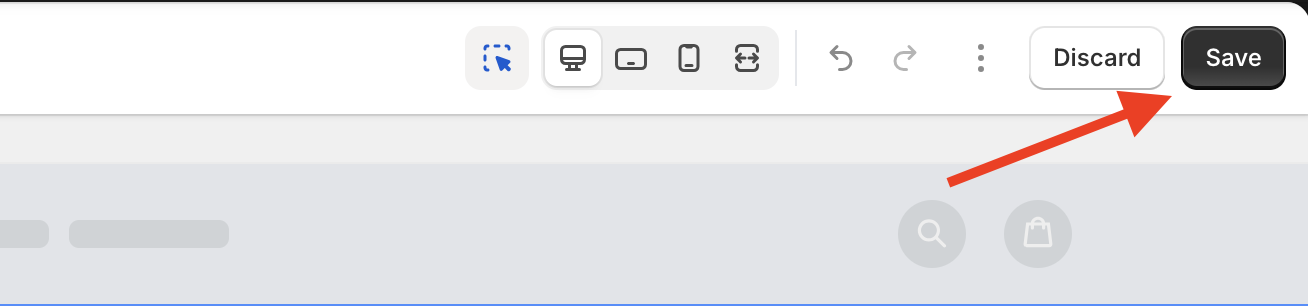
After completing the setup and customization steps, you can choose to **Save** or **Publish** the blog page.
* Click **Save** to store the template as a draft. This will not affect your storefront.
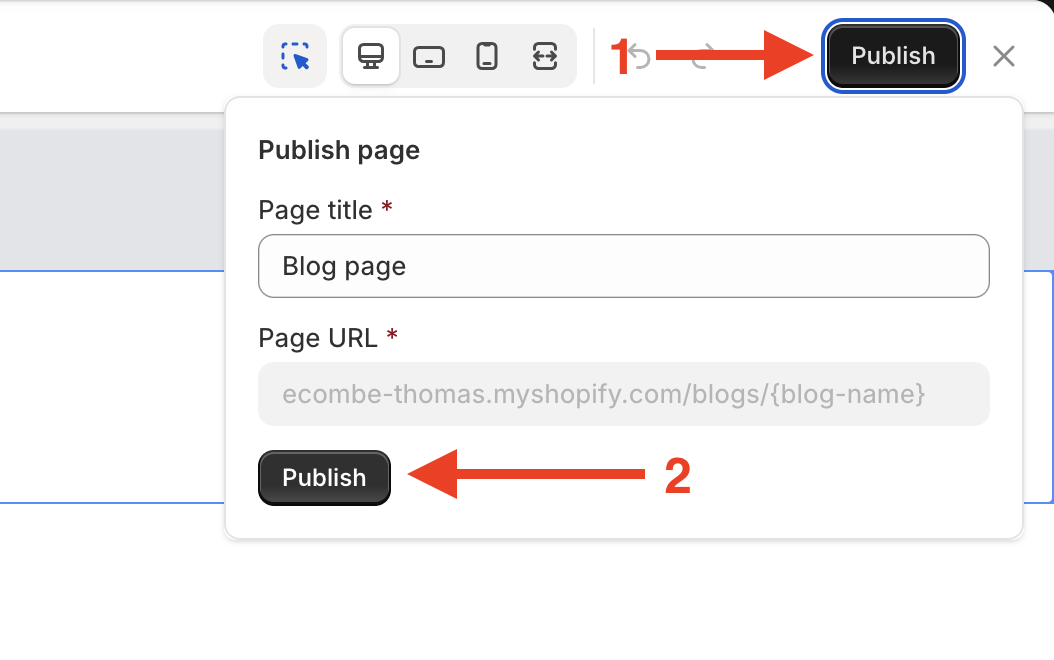
* To use the Ecombe blog page instead of the Shopify theme blog page, click **Publish**, then confirm by clicking **Publish** again in the dialog.
{% endstep %}
{% endstepper %}
## Result
After successfully publishing the Ecombe Blog page, your store’s blog page will be replaced by the Ecombe Blog page.
You can click **View live page icon** to see the blog page directly on your storefront.
## Tips & Best practices
#### 1. Check the layout on tablet and mobile devices
Always check your blog page on tablet and mobile devices, as most traffic comes from mobile users.
You can customize layouts for mobile and tablet without affecting other devices.
#### 2. Preview your template before publishing
Preview your blog page before publishing to ensure it displays correctly on your live storefront.
## Common issues
#### 1. The blog page does not appear on the storefront
Make sure the blog page is published and correctly assigned to the blog.
#### 2. Blog posts are not showing on the page
Check whether the correct blog is selected in **Page assignment**.
#### 3. Changes are not visible after editing
Try republishing the blog page and refreshing your browser cache.
#### 4. Layout issues after changing themes
Some themes may require you to republish the blog page after switching themes.
## FAQ
#### 1. Can I use multiple blog page templates at the same time?
Yes. You can create multiple blog page templates and assign them to different blogs. However, each blog can use only one blog page template at a time.
#### 2. Can I edit the blog page after it has been published?
Yes. You can edit the blog page at any time. Simply make your changes and republish the page.
#### 3. Will using an Ecombe blog page affect my existing blog posts?
No. Ecombe only changes the blog layout. Your existing blog posts and content will remain unchanged.
#### 4. Are Ecombe blog pages mobile-friendly?
Yes. All Ecombe blog pages are fully responsive and optimized for desktop, tablet, and mobile devices.
#### 5. What is the difference between a Blog page and a Blog post page?
dAd **Blog page** displays a list of blog posts, helping visitors browse and discover your articles.
A **Blog post page** displays the content of a single blog article, including its title, text, images, and other details.
In short, the blog page is used for **listing posts**, while the blog post page is used for **reading an individual post**.