> For the complete documentation index, see [llms.txt](https://help.ecombe.com/llms.txt). Markdown versions of documentation pages are available by appending `.md` to page URLs; this page is available as [Markdown](https://help.ecombe.com/pages-and-section-creations/pages/how-to-create-about-page-with-ecombe.md).
# How to create a About page with Ecombe
## Overview
This article will guide you through the steps to create a **About page** using **Ecombe Page Builder**, allowing you to customize your blog page layout without any coding.
## What is a About page?
An **About page** is the page where you introduce your brand and tell your store’s story.
It typically includes information about who you are, what your brand stands for, your mission or values, and what makes your products or business unique. The About page helps build trust with visitors and creates a personal connection between your brand and customers.
A well-written About page can increase credibility and encourage customers to feel more confident about purchasing from your store.
## Step-by -step guide
{% stepper %}
{% step %}
#### Access Ecombe Page Builder
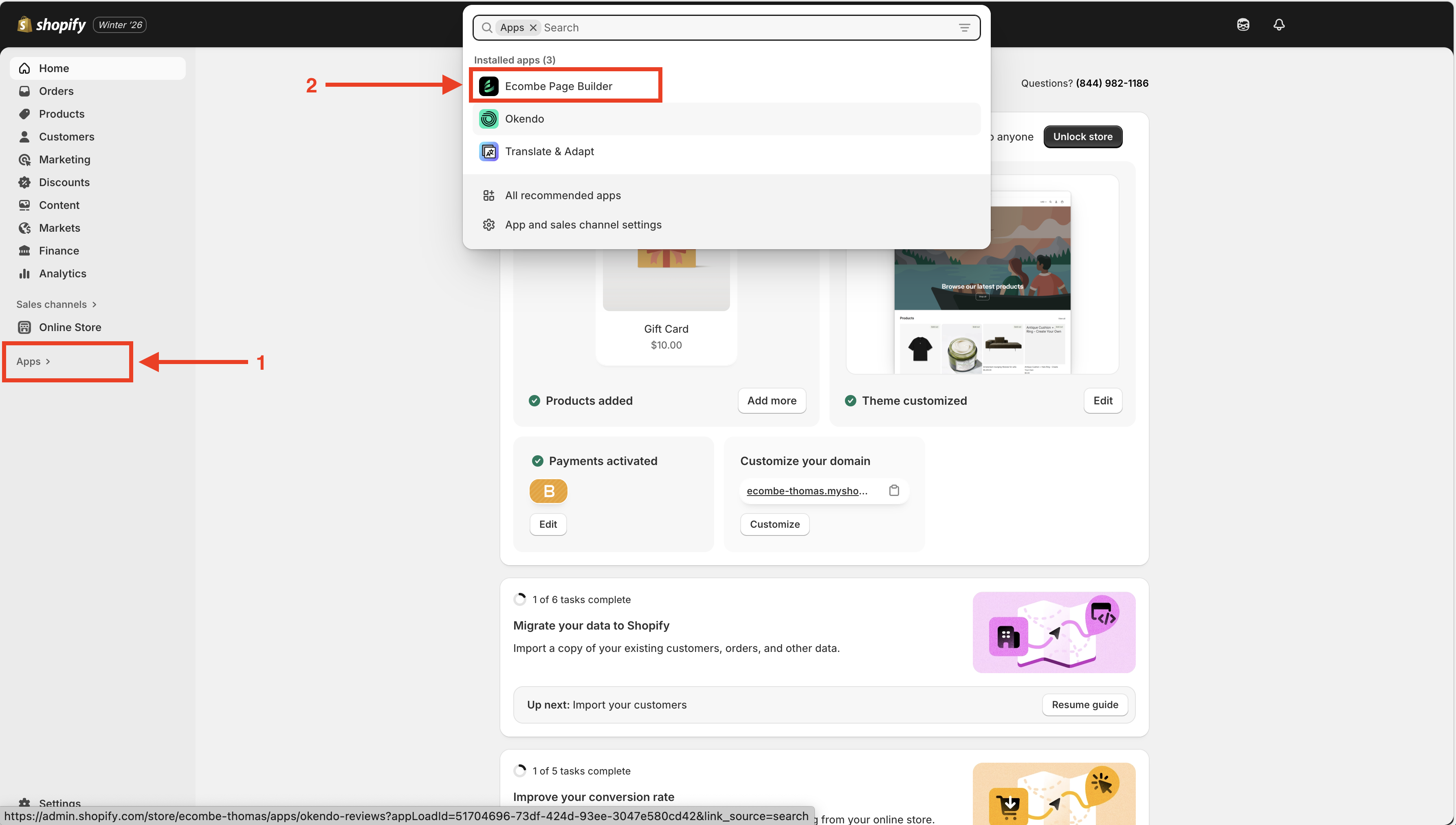
Go to **Shopify Admin** → **Apps** → **Ecombe Page Builder**
{% endstep %}
{% step %}
#### Create a new page
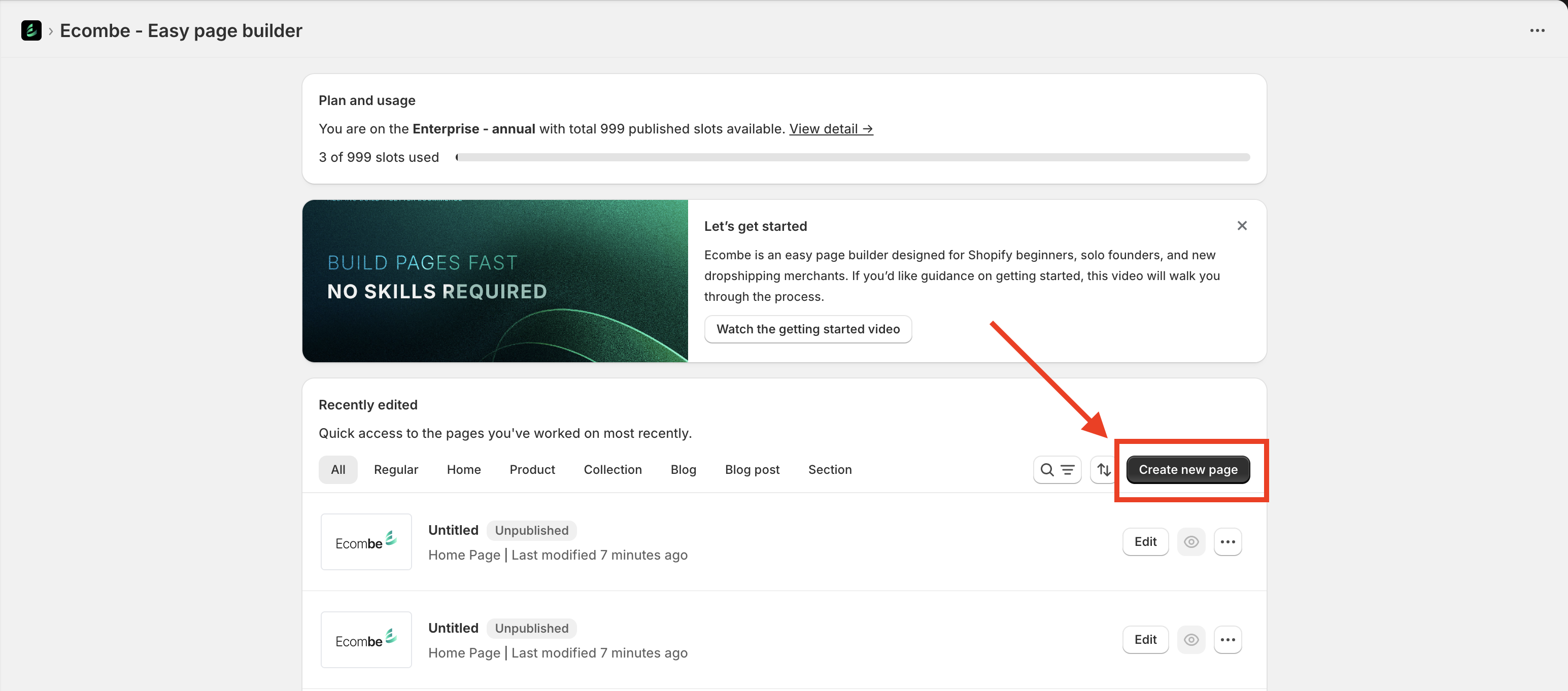
From the **Ecombe Welcome Dashboard**, click the **Create New Page** button
{% endstep %}
{% step %}
#### Choose a About us page template
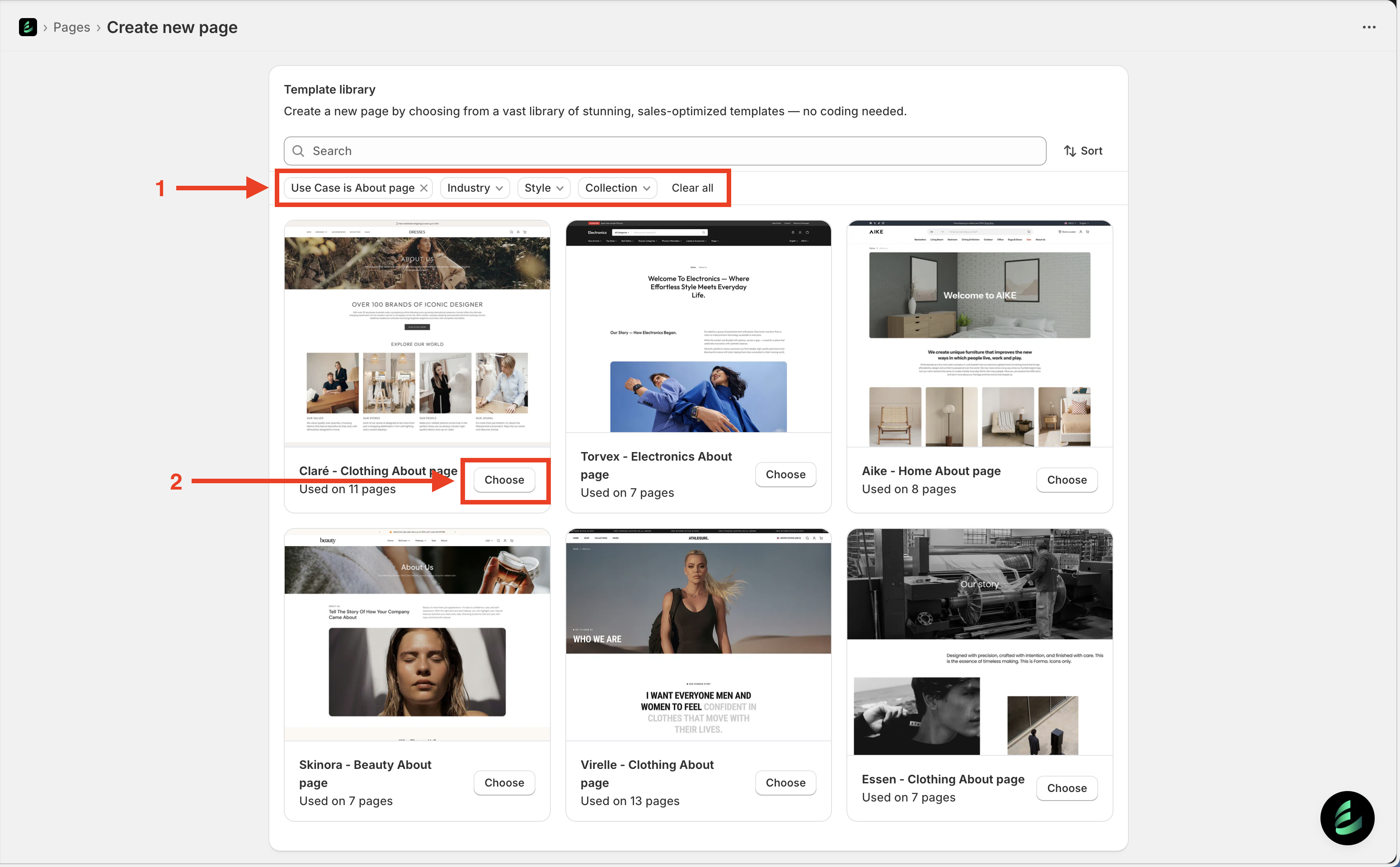
After completing Step 2, Ecombe will take you to the **Template Library**.
Select **Use case: About page**. You can also filter templates by **Industry**, **Style**, or **Collection** to quickly find a suitable design.
Click the **Choose** button to select a template.
{% endstep %}
{% step %}
#### Set up the About page
#### Page settings
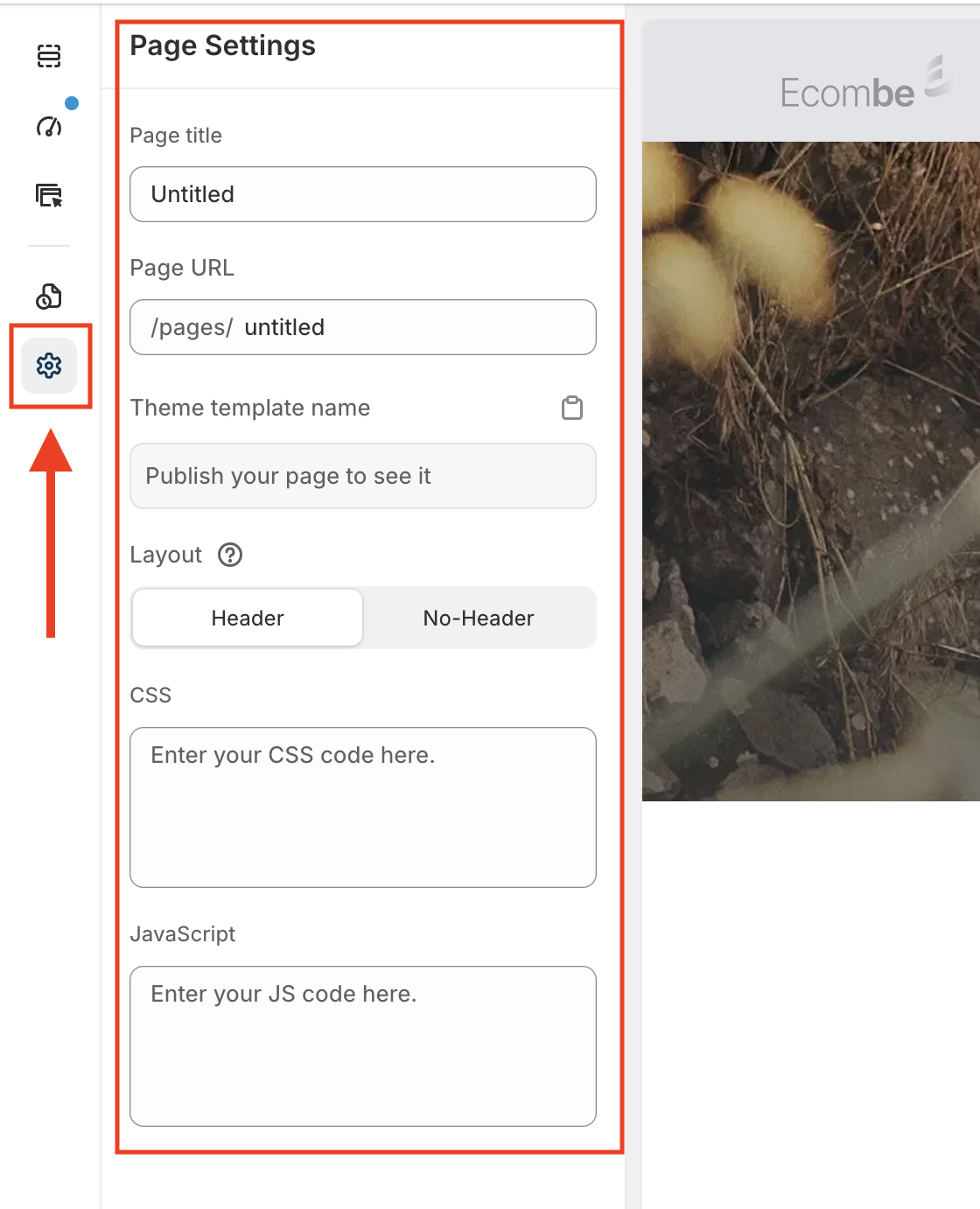
Access **Page Settings** from the Ecombe left sidebar and configure the following options:
* **Page title**: Enter a name for your About page template to easily manage it in Page Manager, especially if you have multiple About page templates.
* **Page URL**: is the web address of your About page, allowing customers to access the page directly through the link you set.
* **Theme template name**: This is the name of the template saved in your Shopify store. Ecombe will automatically generate the template name after the page is published.
* **CSS and JavaScript**: Add custom styles or advanced scripts for your template. If you need assistance, feel free to contact our support team.
{% endstep %}
{% step %}
#### Edit the Blog post page
In this step, you can customize the **Ecombe About Page Template** to match your needs.
Click on each section to edit its content and settings. The options are designed to be simple and intuitive, similar to Shopify Theme Customization.
{% endstep %}
{% step %}
#### Publish your Ecombe About page
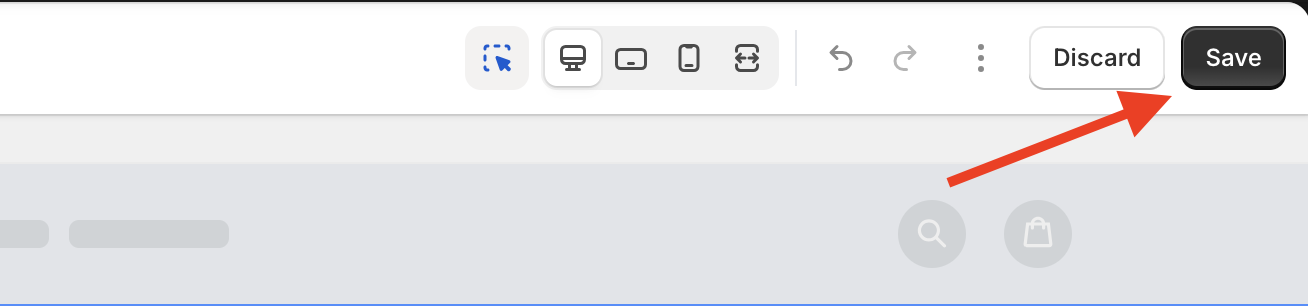
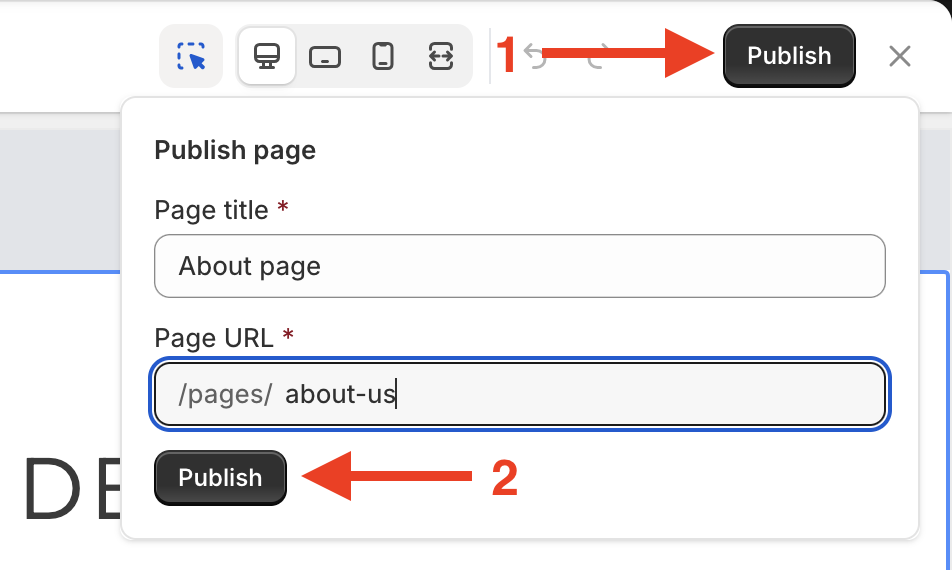
After completing the setup and customization steps, you can choose to **Save** or **Publish** the About page.
* Click **Save** to store the template as a draft. This will not affect your storefront.
* To allow customers to access your About page click Publish, then confirm by clicking **Publish** again in the dialog.
{% endstep %}
{% endstepper %}
## Add the About page to Shopify Navigation
To allow customers to access your About page without manually entering the URL, add the About page to your store’s **navigation menu**, such as the header or footer. This lets customers visit the page with just one click.
{% stepper %}
{% step %}
#### Access Shopify menu settings
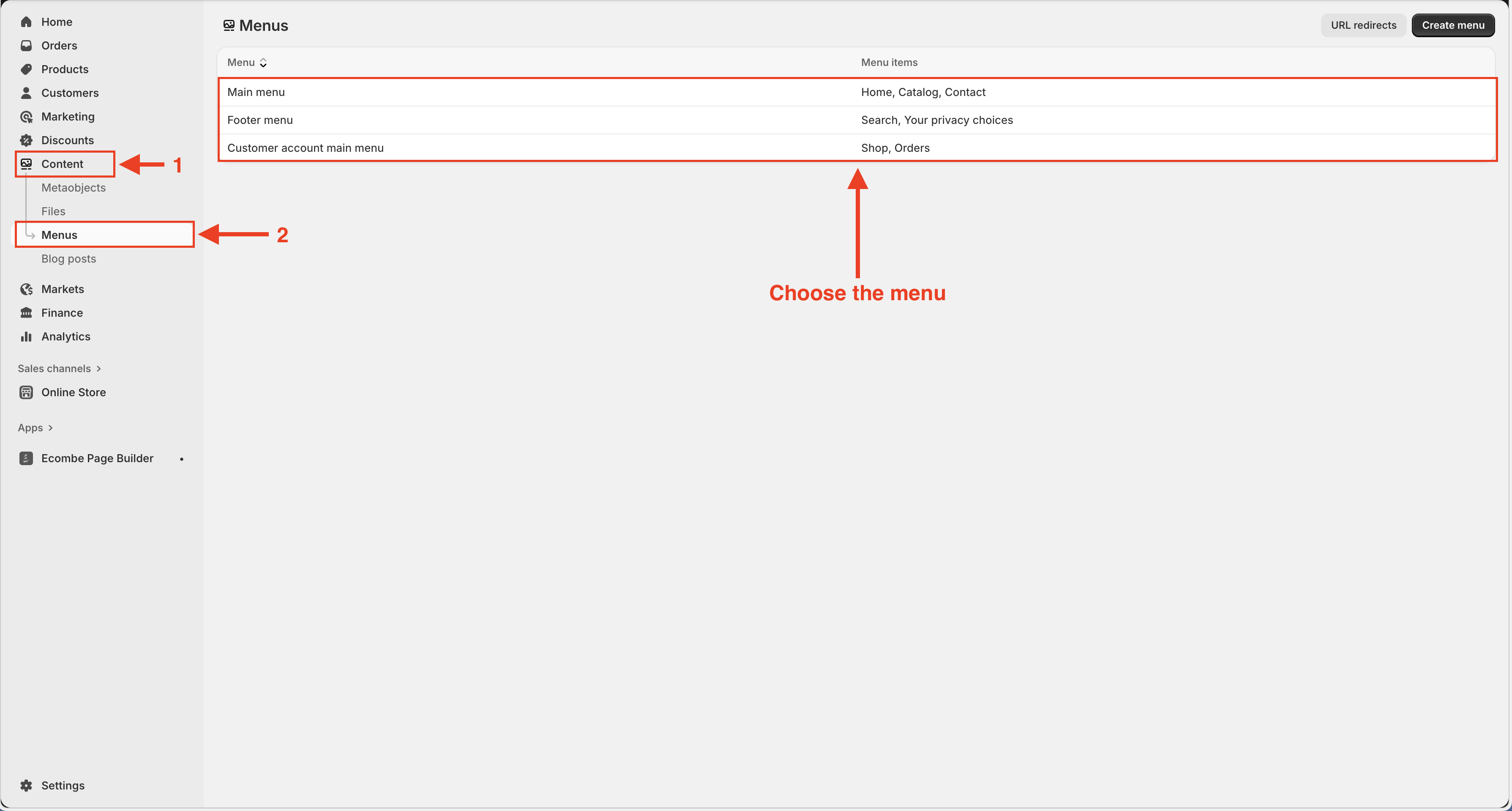
Go to **Shopify Admin** → **Content** → **Menus**, then select the menu where you want to add the About page.
{% endstep %}
{% step %}
#### Add the About page to the menu
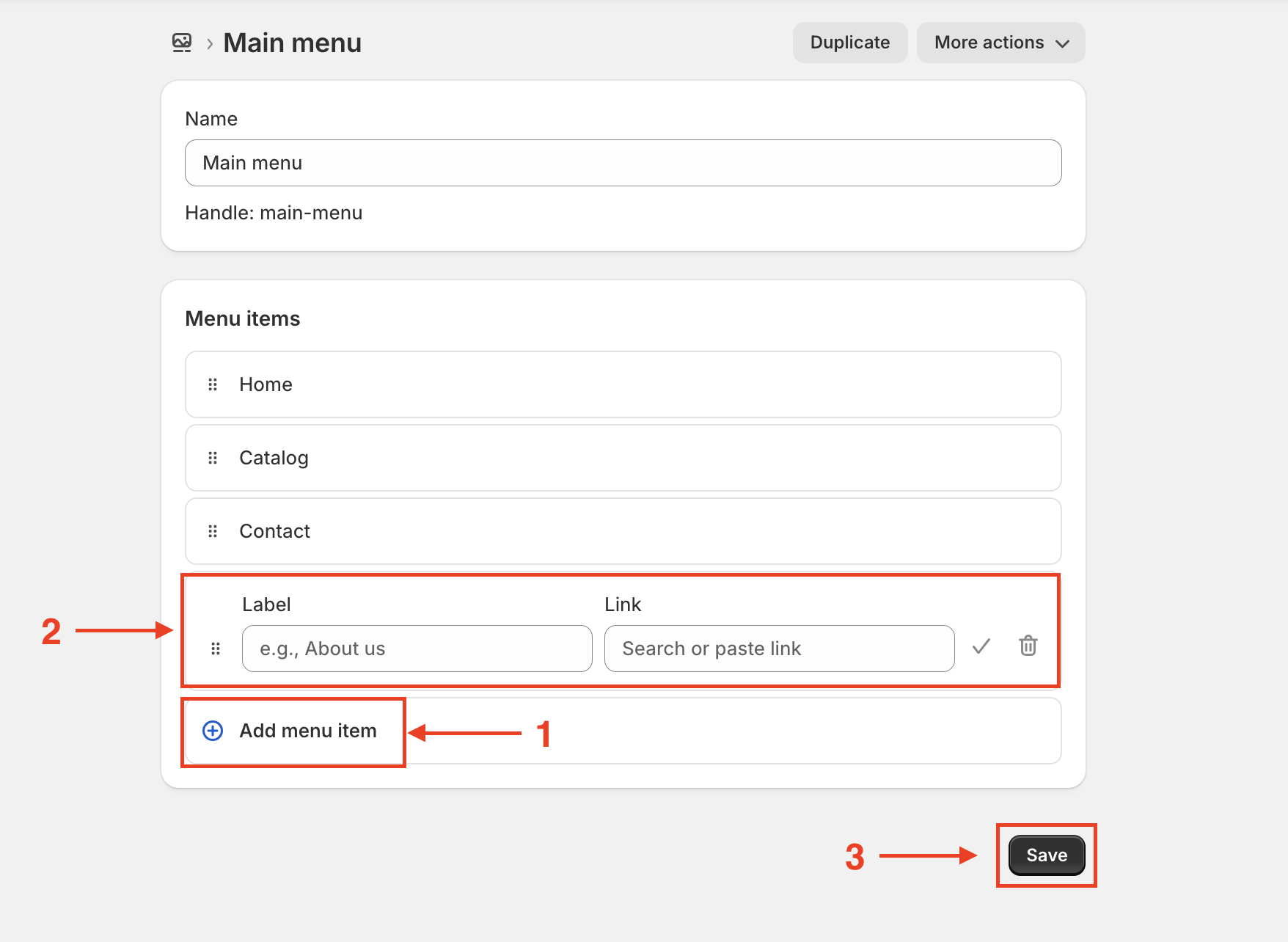
In **Menu settings**, click **Add menu item** → enter a **Label** → select the **Ecombe About page** you just created → click **Save**.
{% endstep %}
{% endstepper %}